





Contact Us
Selling on Ham Radio Swap
Ham Radio Swap is designed for user safety and security. Hams and users will not be forced to divulge their FCC personal data or any data they don’t want public. Users can choose what information they want to display to the public for security purposes.
- You DO NOT have to have Valid, Active Amateur Radio License to buy/sell.
- Ads automatically expire in 30 days. You are NOT REQUIRED to delete your ad. You can put the word “SOLD” on your ad. In the comment section.
- You can’t edit or delete ads made in the Free section. But if you become a verified Seller. You can mange and edit your ads anytime. Becoming verified also increases sales.
- Duplicate ads that are not one right after the other are allowed. Our system may automatically delete duplicate ads that are in the same date duration.
- Ham Radio Swap Classifieds system is available for personal – non-commercial – commercial – business use. No prior permission is required to sell your items.
- Our Ham Radio Swap Classifieds system is for buying, selling and trading items of Ham Radio – CB Radio – commercial Radio communication equipment – parts – supplies – and services.
- You can always use HTML to create links or add pictures on your classified ad post. Especially links to your product(s) online and payment buttons such as PayPal and Venmo QR Codes. Think of a classified ad as your very own website page. Design it how you like.
- Requests for donations of ham gear is allowed.
- Our classifieds ads system is simple and designed to HELP users Buy and Sell goods. Since several Ham Radio operators and AI monitor the site by the hour everyday. We will not burden our users with these requirements.
Shopping on Ham Radio Swap
Please read our safety tips and guidelines below.
Placing Ads
Placing an ad is Free in the main portion of the Swap. Banner Ads are also available Click Here
Selling Safe
It’s important to understand how to buy, sell and use internet sites with classified ad listings. Ham Radio Swap is set up to allow you to create and customize your classified ad listing they way you want. Our rich text editor allows you to add a telephone number, email address and web links. The rich text editor also allows certain types of basic html code. Enjoy the ability to design a plain and simply ad or a fancy, sophisticated ad. It’s up to you.
Safety Tips
Protect your personal information
Avoid posting your full name, address, or other identifying details unless absolutely necessary.
Be cautious with photos
Remove any background details that could reveal your home, workplace, or personal life (e.g., house numbers, license plates, family members).
Use secure communication
Only communicate through the contact method you provided in your ad. If you’re uncomfortable, stop the conversation. For high-value items, verify the buyer’s location by asking for their phone number and testing it.
Meet in safe, public places
Agree to meet during daylight hours in a well-traveled, public area. Bring a friend or meet at a bank or police department’s designated exchange area if possible. Never meet at your home or in isolated locations.
Use secure payment methods
Accept only cash for in-person transactions. Avoid checks, wire transfers, or other methods scammers often use. Use secure online payment methods like PayPal, Venmo, Google Pay and Apple Pay. Always included a fully detailed description of what the payment is for. To prevent misunderstandings. You can add html code to your listing. Such as PayPal Buy Now buttons and Venmo QR Codes along with several others.

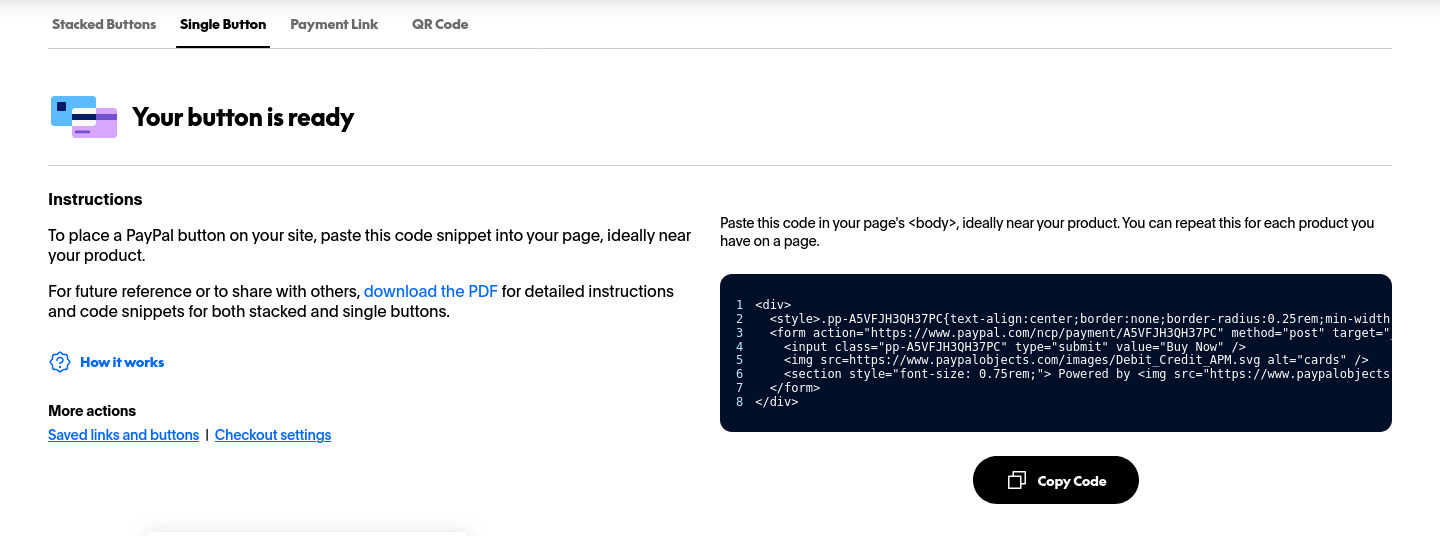
Ad a payment button to your ad using PayPal Click Here
You can add PayPal Stacked Buttons (Advanced) – Single Buttons (Recommended) – Payment Link (Recommended) – QR Codes (Recommended)
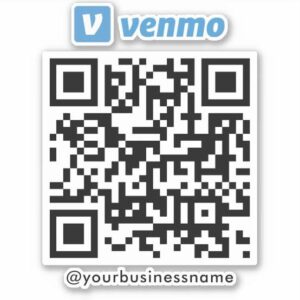
Add a Venmo QR Code to your ad Click Here
Provide Details
Provide a detailed description of what you’re selling. Included plenty of clear photos.
Report suspicious activity
If you encounter scams or fraudulent behavior, report Contact Us
Keep transactions simple and documented
For high-value items, have a written agreement using email – text or take photos/videos of the transaction. For online sales, use tracking and proof of delivery.
By following these steps, you can significantly reduce the risk of scams, theft, or harassment while still enjoying the benefits of online classifieds.
After you Place an Ad
- Keep an eye on your point of contact. Check for comments on your Ad page. If your point of contact is email, check your Junk Mail folder for replies. Certain New emails from New contacts can be sent to Junk Mail automatically.
- Watch out for scammers. Be careful. Always stick to your policies and payment process. Read More
- Research customers who contact you. Check their QRZ and FCC information. See if their email, address, telephone and contact information matches up. If it doesn’t match up. Contact the correct person through QRZ or on their listed contact points. Ask if it’s really them you’re speaking with.
- Once the product is Sold. Post “SOLD” in the comment section of your Ad listing. You can also have the ad removed by commenting “NO LONGER AVAILABLE” in the ad listings comment section.